

Moving an office is rarely the hard part. Anyone with a few movers and a truck can shift desks across the city. The real test is your IT. The moment your servers go dark, your team stops billing, your phones stop ringing, and your clients start wondering why nobody is answering. A zero downtime IT cutover is the plan that keeps all of that running while the physical move happens around it.
This guide breaks down how to plan an IT cutover for an office relocation in Dubai without losing a working day. It covers what office movers actually do here, how relocations work under UAE rules, the sequencing that keeps systems live, security and access handover, pricing factors, and a full checklist you can hand to your team.
What “Office Movers” Means in Dubai
In Dubai, “office movers” covers a wider job than the word suggests. A residential move is furniture and boxes. A commercial move is furniture, IT infrastructure, server hardware, structured cabling, access control systems, signage, and often a coordinated handover between two landlords. That is why many businesses rely on the best office movers to manage the process efficiently from start to finish.
Most established office moving companies in Dubai bundle several services under one roll:
- Packing, dismantling, and reinstallation of office furniture
- Relocation and reconnection of IT equipment and servers
- Network migration, including cabling and switch setup at the new site
- Secure transport of confidential files and physical assets
- Coordination with building management for lift bookings and access permits
The companies worth hiring treat the IT side as its own workstream, not an afterthought you handle yourself on a Saturday. If a quote only talks about furniture and trucks, that is a residential mindset applied to a commercial job.
Office Movers vs IT Relocation Specialists
Not every office mover is equipped for IT relocation in Dubai. There is a meaningful gap between a crew that can carry a server and a crew that can migrate one.
A general office mover handles the physical: lifting, loading, transporting, placing. An IT relocation team handles the logical: decommissioning hardware in the correct order, labelling every cable and port, transporting sensitive equipment in anti static packaging, and bringing systems back online in a tested sequence. For a serious move, you want both capabilities, either in one vendor or in two that talk to each other.
How Office Relocation Works in the UAE

Office relocation in the UAE runs through a few practical layers that affect your IT timeline more than people expect.
Building and Free Zone Rules
Most Dubai commercial buildings have strict move policies. Many only allow moves outside business hours or on weekends, which actually works in your favour for an IT cutover because it gives you a quiet window. You will usually need to book the service lift in advance, provide a list of personnel entering the building, and sometimes pay a refundable deposit against damage to common areas.
If you are in a free zone, the building authority adds its own layer. Free zone properties in areas like DMCC (JLT), DIFC, or Dubai South often require gate passes for moving vehicles, advance notice of the move date, and approved contractor lists. Your mover should know these requirements before you sign, not discover them on move day.
Permits and Approvals
Commercial moves in Dubai can touch several authorities depending on the building and the cargo. Lift access, parking for the moving truck, and out of hours work permits are the common ones. Movers who work in the corporate space handle this paperwork as part of the service. Confirm it is included so you are not chasing a permit while a truck idles downstairs.
The Two-Site Reality
A clean office relocation in Dubai almost always involves overlap. You hold the new lease and the old one at the same time for a short window. That overlap is the single most useful tool you have for zero downtime, because it lets you build and test the new IT environment before you switch off the old one.
What a Zero-Downtime IT Cutover Actually Is
A zero-downtime IT cutover is a planned switch of your systems from the old office to the new one with no interruption to business operations. Staff log off in one building on Thursday evening and log in at the new building on Sunday morning to a network that already works.
True zero downtime rarely means literally zero seconds of any system being offline. It means zero downtime that customers or staff productivity actually feel. A short, scheduled, after-hours window where a router moves is not downtime in any way that hurts you. An unplanned three-day outage because nobody documented the cabling.
The whole approach rests on one principle: build and verify the new environment in parallel, then cut over during dead time. You do not unplug the old office and hope the new one comes alive. You bring the new one to life first.
Types of Office Movers in Dubai
Choosing the right type of mover sets the ceiling on how smooth your cutover can be.
- General relocation companies: Strong on furniture, packing, and transport. Suitable for small offices with minimal IT, such as a five person team running entirely on laptops and cloud apps. Weak on server and network work.
- Full-service corporate movers: Handle furniture and IT under one contract with a dedicated project coordinator. Best fit for SMEs and mid-size companies that have an on premise server, a phone system, and structured cabling to deal with.
- Specialist IT relocation providers: Focus purely on moving and migrating technology: servers, racks, data, network gear, and access systems. Often work alongside a furniture mover on larger projects, or alongside the client’s own IT department.
- Records and asset management movers: Specialise in secure transport of confidential documents and high value assets, with chain of custody documentation. Relevant for law firms, financial services companies in DIFC, and any business with compliance obligations.
For most growing businesses moving into Business Bay, JLT, or Dubai Marina, the full-service corporate mover is the sensible default, with a specialist brought in if the IT estate is large or sensitive.
Building the Zero-Downtime IT Cutover Plan
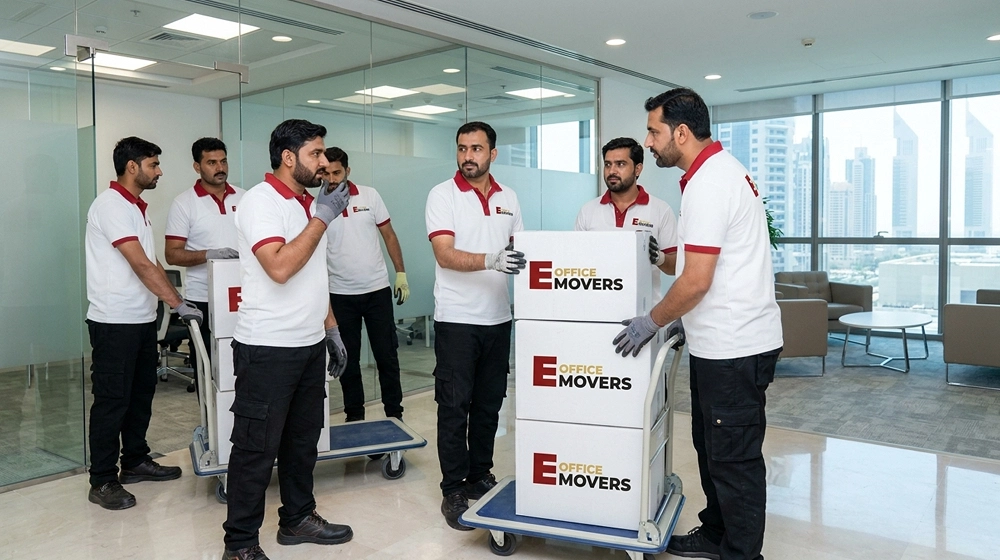
This is the core of the move. The plan has five stages, and skipping any of them is where downtime creeps in.
Stage 1: The Pre-Move IT Audit
Start with an inventory before anything moves. You cannot relocate what you have not documented.
Build an asset register covering every piece of hardware: servers, switches, routers, firewalls, access points, desk phones, printers, UPS units, and any specialist equipment. Record each item’s make, model, serial number, current location, IP address where relevant, and which department depends on it. Photograph the back of every server and switch so the cabling can be rebuilt exactly.
This register does three jobs at once. It tells you what needs moving, it forms your insurance record if anything is damaged in transit, and it becomes the reconnection map at the new site.
Stage 2: Design the New Site Before You Touch the Old One
Map the new office’s IT layout while the old office is still fully running. Decide where the server room or comms cabinet sits, where the desks and their network points go, and how cabling routes through the space.
Critical point for Dubai offices: confirm your internet circuit at the new building early. Provisioning a business line through Etisalat (e&) or du can take weeks, not days, and a new fit out may need fresh cabling pulled. Order the connection the moment you sign the new lease. A delayed internet line is the most common cause of a relocation overrunning its downtime window, and it has nothing to do with the movers at all.transit insurance
Stage 3: Build and Test in Parallel
Use the lease overlap. Set up the new site’s network, install switches and access points, run and label structured cabling, and bring up the internet circuit while the old office stays live.
If you run physical servers, this is where you decide your migration method. Cloud based businesses have the easiest path because the data already lives off site. On premise setups need a real decision: replicate data to the new server before the move, or physically transport the existing server during the cutover window. Replication is safer and faster to recover from, transport is cheaper, and the right choice depends on how much downtime your business can absorb.
Test everything at the new site before move day. Confirm internet speed, internal network connectivity, server access, phone lines, and printing. A test that passes on Wednesday is worth more than a hope that passes on Sunday.
Stage 4: The Cutover Window
Pick the quietest realistic window. In Dubai that is usually Thursday night into the weekend, which also lines up with most building move policies.
Sequence the physical move so the new site is ready to accept staff before the old site goes fully dark:
- Move and reconnect core infrastructure first: servers, network gear, firewalls
- Verify the new environment is live and tested before continuing
- Move workstations, phones, and peripherals in waves by department
- Keep the old site’s core systems running until the new site is confirmed working
The order matters. Disassembly at the old office should follow confirmation at the new one, not race ahead of it.
Stage 5: Verification and Day-One Support
Before staff arrive, run a final check across every system: logins, shared drives, email, internet, phones, printers, and access control. Have IT support physically present on the first working morning, because the small issues always surface then. A user whose desk phone will not register or whose mapped drive disappeared needs a five minute fix, not a support ticket that sits in a queue.
Keep the old site’s circuit live for a few days after the move if your lease overlap allows it. It is a cheap safety net.
Server Migration During an Office Move
Server migration is the part most likely to go wrong, so it earns its own attention.
For a physical server move, power down cleanly following the correct shutdown order, never by pulling the plug. Pack the unit in anti static and shock resistant packaging. To reduce the risk of damage, many businesses choose the best server movers for handling critical hardware. Transport it separately from heavy furniture, ideally in a climate controlled vehicle, since Dubai’s outdoor heat is a real risk to hardware sitting in a hot truck. Reinstall it using your photographed cabling map, power it up, and verify services in a controlled sequence.
For businesses that can plan ahead, replicating data to a new or cloud server before move day removes most of this risk. The physical box becomes far less critical because the data is already safe somewhere else, and you can restore quickly if the original is damaged in transit.
Network Migration in Dubai

Network migration covers the cabling, switches, routers, firewalls, and the internet circuit that ties them together. The two things that derail it locally are the internet line and the structured cabling.
Order the business internet connection at the new building as early as possible, because telecom provisioning timelines in the UAE are the part you cannot rush on move weekend. Run and test structured cabling at the new site during the parallel build stage, with every cable and port labelled to match your asset register. Configure and test switches and firewalls before move day so the network is a known working system, not a fresh experiment, when staff log in.
Security and Access Systems
Office security is easy to forget until the first morning when nobody can badge through the front door.
Plan the handover of access control, CCTV, and alarm systems as deliberately as you plan the servers. Decommission the old site’s access cards and codes so a vacated office is not left with live credentials. Install and test the new site’s door access, intercom, and camera systems during the build stage. Confirm with the new building’s management how their base building security interacts with your suite, since many Dubai towers run their own lobby access and visitor systems on top of yours.
For businesses moving confidential records, use a mover that provides chain of custody documentation. Sealed crates, logged transport, and signed handover at both ends protect you and satisfy compliance requirements, which matters especially for financial and legal firms in DIFC.
Furniture Dismantling and Reinstallation
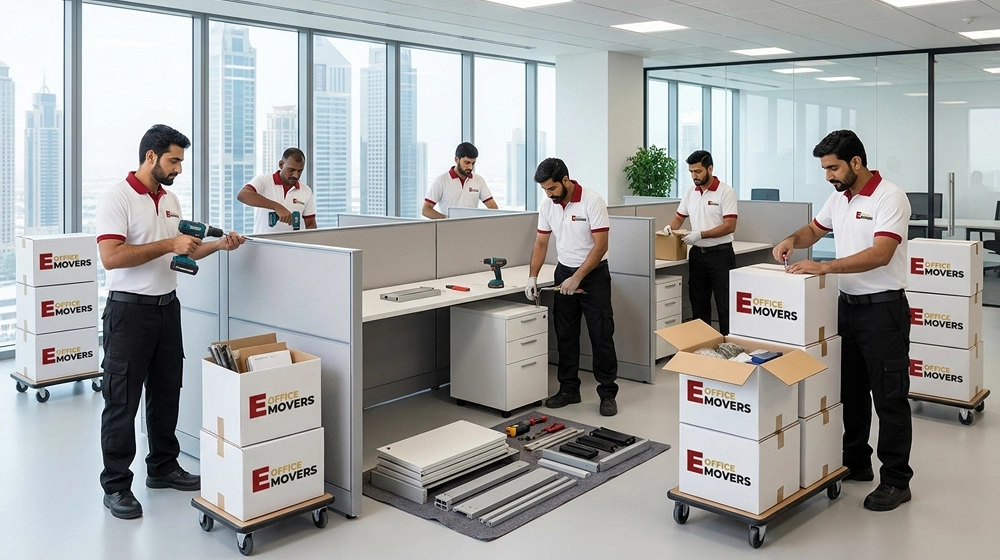
Furniture and IT are linked more than they look. Workstations carry the network points, power, and desk mounted equipment that your cutover depends on, so the two teams have to coordinate.
A good corporate mover dismantles desks, partitions, and storage at the old site, transports them safely, and reinstalls them at the new site to a pre agreed floor plan. The smart sequence is to have furniture set up at the new office before or alongside the IT install, so cabling can be run to desks that are already in position rather than reworking it later. Mismatched timing here is a common reason a move that should take a weekend bleeds into Monday.
Pricing Factors for Office Relocation in Dubai
Office relocation pricing in Dubai is not a flat rate, and any mover who quotes one before seeing your site is guessing. The cost is shaped by several factors.
- Office size and headcount: More desks, more equipment, more labour and transport.
- Volume and type of IT equipment: A cloud only office is cheaper to move than one with a server room and structured cabling.
- Distance and building access: A move from JLT to Business Bay with easy lift access costs less than one into a tower with restricted hours and tight loading bays.
- Out of hours and weekend work: After hours moves, which most buildings require, carry a premium but protect your downtime window.
- Specialist services: IT migration, secure records transport, furniture reinstallation, and access system setup each add to the scope.
- Permits and building fees: Lift bookings, deposits, and access charges set by building management.
- Insurance coverage: Proper transit insurance for high value IT assets is worth the cost and should be itemised in the quote.
Ask for an itemised quote, not a lump sum. An itemised breakdown tells you whether IT migration is genuinely included or quietly left out for you to handle.
A Real-World Example
A 40 person marketing agency moved from a serviced office in Dubai Marina to a fitted unit in Business Bay. They ran entirely on cloud apps, with one on premise file server and a VoIP phone system.
Their plan was simple and it held. They ordered the new internet line three weeks ahead. They set up and tested the new network during a one week lease overlap. They replicated the file server data to the new hardware before move day. On Thursday evening the movers shifted desks and workstations; the core network was already live. By Sunday morning every staff member logged in to a working setup, and the only first day issue was two desk phones that needed re registering, fixed in ten minutes by on site support.
The lesson is not that they were lucky. It is that the line was ordered early, the network was tested before the move, and the data was already safe. Nothing was left to discover on the weekend.
Zero-Downtime IT Cutover Checklist
Use this as a working checklist for the relocation.
Six to eight weeks before
- Build a full IT asset register with serial numbers and photos of cabling
- Order the business internet circuit for the new building
- Confirm building move policies and book the service lift at both sites
- Select a mover with proven IT relocation capability and itemised pricing
Three to four weeks before
- Design the new site’s IT and furniture floor plan
- Arrange structured cabling at the new office
- Decide server migration method: replication or physical transport
- Arrange transit insurance for IT equipment
One to two weeks before (parallel build)
- Install and test the new network, switches, and access points
- Confirm internet speed and connectivity at the new site
- Set up and test access control, CCTV, and alarm systems
- Replicate server data if using the replication method
Cutover weekend
- Move and reconnect core infrastructure first
- Verify the new environment before continuing
- Move workstations and phones in department waves
- Keep old site systems live until the new site is confirmed working
Day one
- Final verification across all systems before staff arrive
- On site IT support present from the first morning
- Decommission old site access cards and credentials
- Hold the old circuit for a few days as a safety net
Frequently Asked Questions
What is a zero-downtime IT cutover for an office move?
A zero-downtime IT cutover is a planned switch of your systems from an old office to a new one with no interruption to business operations. The new network and servers are built and tested in parallel, then the physical move happens during a quiet after-hours window so staff and clients feel no break in service.
How long does an office IT relocation take in Dubai?
The physical IT move usually fits into a single weekend window for an SME. The full project, including the asset audit, ordering the internet line, building the new network, and testing, typically runs four to eight weeks from planning to a completed cutover.
What causes downtime during an office relocation?
The most common cause is a delayed internet circuit at the new building, since telecom provisioning in the UAE can take weeks. Other causes include undocumented cabling, untested networks, and disassembling the old site before the new one is confirmed working.
Can I move my office server without losing data?
Yes. Replicate your server data to new or cloud hardware before move day so the information is safe regardless of what happens to the physical unit. If transporting the server itself, shut it down cleanly, pack it in anti static and shock resistant material, and move it in a climate controlled vehicle.
Do office movers in Dubai handle IT and network migration?
Some do and some do not. General movers focus on furniture and transport, while full-service corporate movers and specialist IT relocation providers handle servers, cabling, and network migration. Confirm IT migration is itemised in the quote rather than assumed.
What permits are needed to move an office in Dubai?
Most commercial buildings require advance lift bookings, out of hours work approval, and a personnel list, with free zones adding gate passes and approved contractor requirements. A corporate mover usually handles this paperwork as part of the service.
How much does office relocation cost in Dubai?
Pricing depends on office size, the volume of IT equipment, building access, out of hours work, specialist services, permits, and insurance. There is no flat rate, so request an itemised quote that shows exactly what IT migration and reinstallation services are included.
Ali Al-Refai is an expert in the moving and logistics industry, with over 12 years of experience in managing both local and international moving operations. He has worked extensively in relocation planning, packing, and logistics, ensuring seamless and efficient transitions for individuals and businesses alike.
His expertise lies in optimizing moving processes, reducing costs, and ensuring the safe handling of items during relocation. Ali regularly shares insights and practical tips on best practices in moving, aiming to help people and companies achieve smoother, cost-effective relocations.